Roblox Automate a Restaurant Farm Crops in Automate a Restaurant
Turn your first field into steady ingredients before recipes and drones take over.
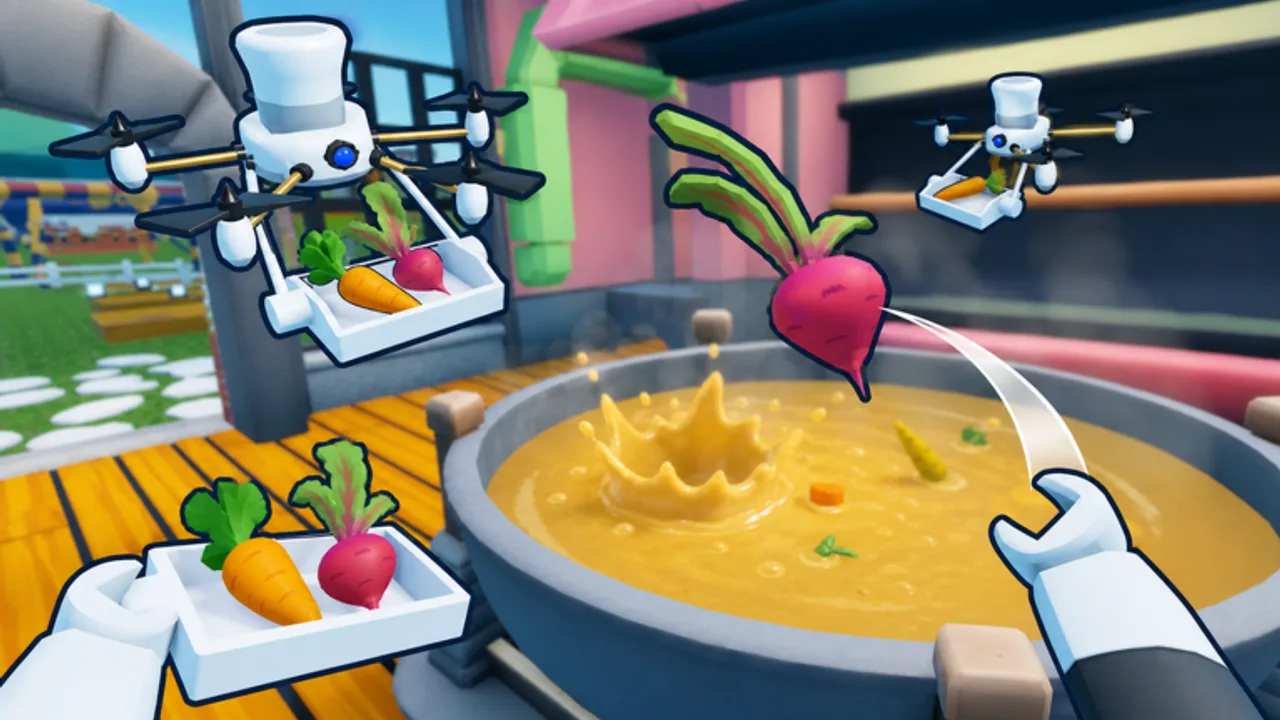
Farming is the first engine of Automate a Restaurant, the Roblox incremental simulator from m_experiment (released May 25, 2026). Every later system—recipe experiments, customer tickets, drone harvesters, and production lines—assumes you can reliably grow baseline crops. This guide explains how planting works on PC and mobile, what to grow in your first sessions, and how to stop your bag from blocking progress.
If you have never joined the experience, read Getting Started first. For the shop-to-soil loop—buy packets, equip beds, fill pots, upgrade plants—open Seeds and Beds. When crops feel stable, continue to Discover Recipes and Controls & UI.
What farming does in the loop
Crops are the cheapest renewable ingredients in the game. You plant seeds on workable soil, wait for growth timers, harvest produce, then feed that output into cooking or experimentation. The official Roblox description highlights planting crops and hunting rare ingredients as separate layers—this page covers the everyday field work; rare hunts live on Rare Ingredients.
Farming mistakes show up fast: empty customer tickets, stalled experiment batches, and drones walking to fields that were never replanted. Treat the farm as part of the kitchen, not a side hobby.
Starting plot basics
After the tutorial, you usually receive a compact farm zone near your restaurant. Typical flow:
- Equip seeds from inventory or the shop UI.
- Place seeds on tilled or marked soil tiles.
- Wait for the growth indicator to complete (timers vary by crop tier).
- Interact to harvest and store items in your bag or a nearby crate.
Roblox interaction defaults apply—E or tap on mobile. Full input breakdown is on Controls & UI.
Early crop priorities
The tutorial names one or two starter crops. Stay on those until you can cook or sell a dish repeatedly. Spreading across many seed types before you know demand wastes bag space and slows Discover Recipes progress.
| Priority | Why |
|---|---|
| Tutorial crops | Guaranteed objectives and first income |
| One backup crop | Keeps fields busy while primary grows |
| Experiment pairs | Only after you log one working recipe |
Compare profit targets later on Best Recipes—not on day one, but soon after your first sale.
Bag space and storage
Harvests block planting when your inventory fills. Before expanding the field visually, upgrade storage or add crates the game offers. A common beginner trap is planting a huge farm while the bag holds only a few stacks—everything ripens at once and you lose cycles.
Build this habit: harvest → store → replant in one lap before starting customer service. When co-op friends join, agree who owns replanting so fields do not sit idle—see Co-op Shared Restaurant.
Growth timers and session planning
Crops run on real-time growth. Short-cycle plants teach the rhythm; longer crops reward planning across sessions. Some passive growth may continue while you are away, but major unlocks still need active play—check Updates after patches for current offline behavior.
Session template:
- Start by replanting anything harvested last time.
- Serve customers until experiment materials pile up.
- End by replanting again so timers run while you browse wiki pages.
Track milestones on the Recipe Checklist.
From manual farming to drone harvest
Manual farming teaches which crops customers actually consume. Once that is obvious, Unlock Drones and Drone Priority explain when harvest automation pays off. Drones do not remove the need to choose crops—they remove walking time between rows and stoves.
Layout matters when drones path through fields: keep aisles readable before scaling plots, as covered in Production Line Layout.
Rare ingredients vs everyday crops
Everyday crops fill most tickets. Rare ingredients unlock higher-tier recipes and should not distract you until basics work. When your kitchen waits on normal produce, fix farming before chasing rare spawns.
Farming mistakes to avoid
- Planting more tiles than you can harvest before bags overflow.
- Ignoring replant timing because customers feel urgent—empty fields hurt the next rush harder.
- Copying crop advice from Run a Restaurant or other Roblox restaurant games; verify behavior inside Automate a Restaurant only.
- Skipping Controls & UI on mobile, where mis-taps waste seeds.
Related pages
- Getting Started — first-hour loop
- Discover Recipes — turn harvests into dishes
- Rare Ingredients — mid-game hunts
- Unlock Drones — automate harvest roles
- Guides Hub — full walkthrough order
Frequently Asked Questions
Quick answers to the most common questions.
Which crops should I plant first in Automate a Restaurant?
Follow the tutorial seeds until you can harvest and sell reliably. Add only one backup crop until you log a working recipe.
Why did my crops stop growing?
Check whether plots were harvested and replanted, whether bag space is full, or whether a co-op partner removed tiles. Patch changes can tweak timers—see Updates after major releases.
Do drones replace farming entirely?
No. Drones automate harvest walking once you unlock them, but you still choose crops and field layout. Read Unlock Drones for role timing.
Is farming different in co-op?
Everyone shares one restaurant and fields. Assign replant and harvest roles before expanding so players do not duplicate work.