Roblox Automate a Restaurant Controls & UI — Automate a Restaurant
Movement, interaction, and menus on PC and mobile so nothing blocks your first harvest.
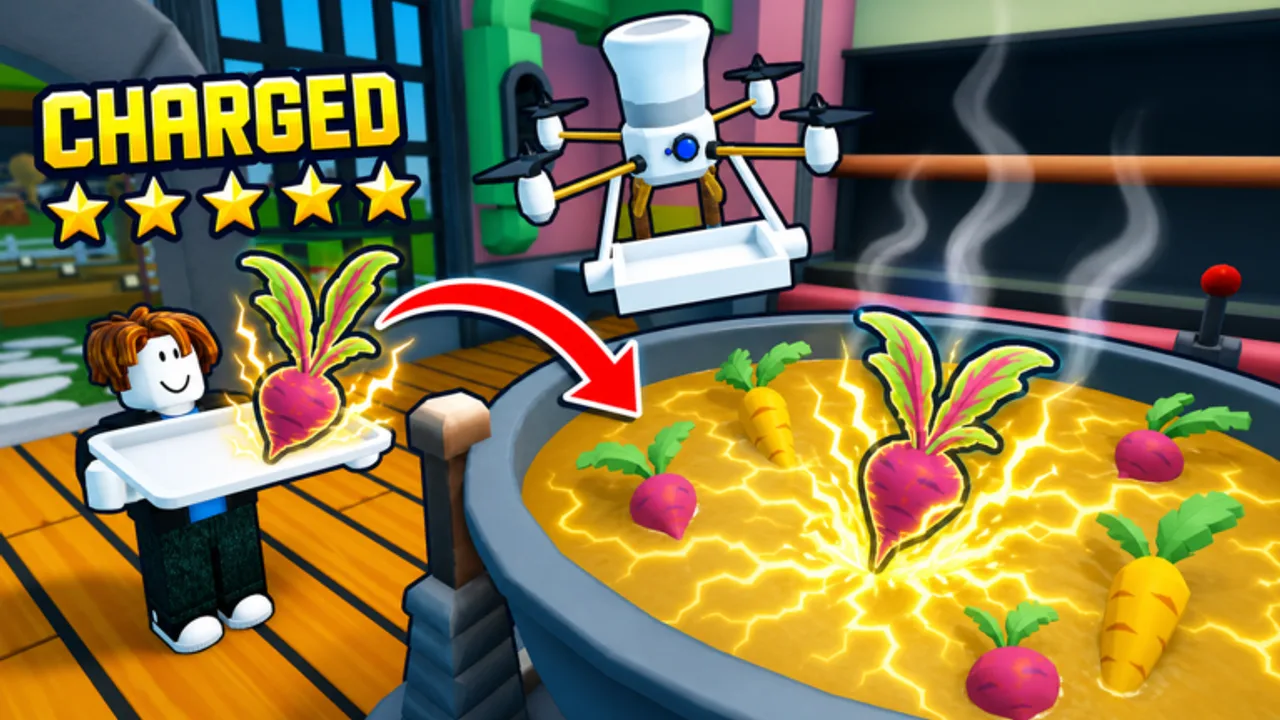
Smooth controls separate a calm kitchen from constant mis-clicks. Automate a Restaurant uses standard Roblox inputs plus game-specific menus for farming, recipes, drones, and shared restaurants. This guide lists PC and mobile controls, explains the main UI panels, and points to progression pages once the HUD feels familiar.
New players should pair this with Getting Started and Farm Crops. Advanced automation lives in Unlock Drones and Production Line Layout.
PC controls (keyboard and mouse)
Roblox defaults on PC:
| Action | Input |
|---|---|
| Move | W A S D |
| Look | Mouse |
| Jump | Space (when enabled) |
| Interact / use | E or Left click on prompts |
| Menu / chat | Roblox top bar |
Automate a Restaurant adds context prompts near crops, stoves, customers, and drone docks. When a white outline or button appears, interact once—spamming click can cancel cooking or waste experiment materials.
Mobile controls
On phone or tablet:
- Virtual joystick (usually left) for movement.
- Jump button when the place enables jumping.
- Action button (often right) for interact prompts.
- Pinch or drag to adjust camera angle.
Mobile players struggle most with experiment UI and tight farm grids. Zoom slightly out before planting multiple seeds, and use Farm Crops spacing habits so thumbs do not mis-tap adjacent tiles.
Core UI panels to learn early
You do not need every menu on day one, but recognize these labels when the tutorial mentions them:
| Panel | Purpose |
|---|---|
| Inventory / hotbar | Seeds, harvests, tools |
| Recipe / experiment | Combine ingredients to discover dishes |
| Shop / upgrades | Storage, stations, expansions |
| Customer tickets | Active orders and payouts |
| Drone dock | Assign harvest, cook, serve roles |
| Social / co-op | Invite friends, permissions |
Pin or bookmark the recipe list after your first discovery so rush periods do not devolve into guesswork—details in Discover Recipes.
Experiment station workflow
The experiment UI is where you spend crops and other inputs to reveal new recipes. Typical flow:
- Open the experiment panel from the marked station or menu icon.
- Add ingredients in the slots the game provides.
- Confirm the attempt and wait for success or failure feedback.
- Save confirmed dishes to your cookbook for repeat cooking.
Failed batches still teach you what not to repeat. Log attempts in the Recipe Checklist instead of spamming random combos.
Drone and automation UI
When Unlock Drones becomes available, new menus assign robots to harvest fields, operate stoves, or deliver plates. Before buying every slot:
- Identify your bottleneck (harvest, cook, or serve).
- Check Drone Priority for role order.
- Test one role at a time so UI alerts stay readable.
Drone pathing ties to physical layout—misplaced stations confuse automation even when menus look correct.
Co-op and permissions UI
Online co-op supports roughly ten players in one shared restaurant. Social panels let you invite friends and, depending on patch settings, share upgrade permissions. Before rearranging someone else’s kitchen:
- Talk in voice or chat about who owns layout changes.
- Read Co-op Shared Restaurant for role splits.
Camera and readability tips
- Raise camera angle slightly when placing multiple farm rows.
- Stand near stations when configuring drones so path previews make sense.
- Reduce Roblox graphics clutter if UI buttons overlap on low-end mobile devices.
Controls vs external scripts
Some players search for auto-farm tools. The Scripts Hub explains risks. External executors are not the same as in-game drone automation and frequently target the wrong Roblox restaurant game. Use official drone UI instead when possible.
After patches
Roblox client updates and game patches can move icons or add menus. When something looks different after an update, read August 2026 Snapshot and the Updates Hub before assuming controls broke.
Related pages
- Getting Started — tutorial order
- Farm Crops — field interaction
- Discover Recipes — experiment UI depth
- Guides Hub — full index
Frequently Asked Questions
Quick answers to the most common questions.
What is the interact key on PC?
Usually E or left click on the on-screen prompt. Roblox may vary by experience settings, but Automate a Restaurant follows standard interact prompts.
How do I open the recipe experiment panel?
Follow the tutorial marker to the experiment station, then use the interact prompt. After your first discovery, the panel is reachable from the recipe or crafting menu icon.
Do controls differ in co-op?
Movement and interact inputs are the same. Co-op adds social and permission menus so multiple players share one restaurant.
Why can I not click a drone button?
You may need a prior milestone, more currency, or a clearer field layout. Check Unlock Drones and ensure no UI popup is blocking the screen on mobile.