Roblox Automate a Restaurant Guides & Walkthroughs
Farm, experiment, automate, and expand one shared Roblox restaurant.
Automate a Restaurant Guides Hub
Welcome to the complete Guides Hub for Automate a Restaurant, the Roblox incremental simulator from m_experiment (released May 25, 2026). These walkthroughs follow the real loop printed on the experience page: plant crops, hunt rare ingredients, experiment to discover recipes, serve customers, unlock drones that harvest / cook / serve, expand into a production line, and build one shared restaurant with friends.
Start here if you are new, then branch into the specialist pages below. Every guide cross-links siblings so you can move from first harvest to multiplayer automation without hunting random Discord tips.
Core loop at a glance
- Grow & gather — Plant basic crops, then chase rare ingredients.
- Experiment — Combine ingredients until new dishes appear; see Discover Recipes.
- Serve — Feed customers to earn the currency that funds expansion; see Serve Customers and How to Make Money.
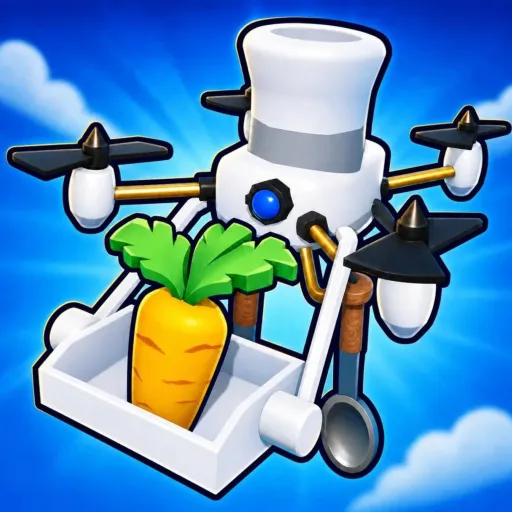
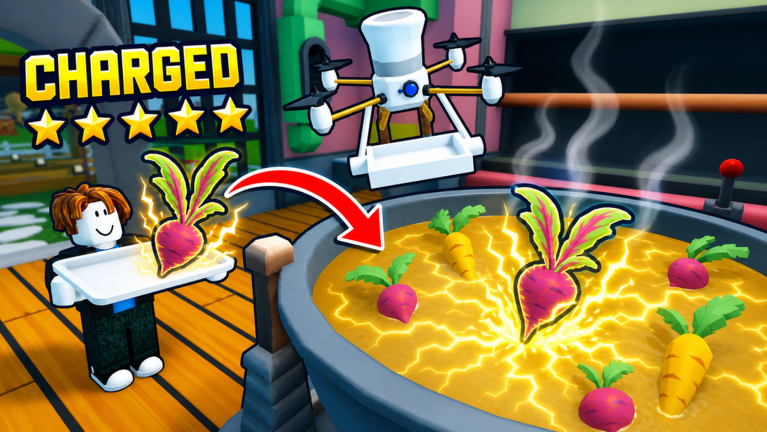
- Automate — Unlock drones for harvest, cook, and serve roles.
- Scale — Shape a production line layout that keeps throughput high.
- Co-op — Share one restaurant with friends (online co-op, about 10 players max) using Co-op Shared Restaurant.
Featured guides
| Guide | Best for | Jump in |
|---|---|---|
| Getting Started | First hour, HUD, early crops | New players |
| Farm Crops | Fields, storage, replant timing | After tutorial |
| Controls & UI | PC/mobile inputs and menus | New & mobile |
| Unlock Drones | First automation milestones | Mid early-game |
| Discover Recipes | Experiment habits & logging | Everyone |
| Rare Ingredients | Hunt routes & inventory discipline | Mid-game |
| Production Line Layout | Pathing, stations, drone lanes | Scaling kitchens |
| Co-op Shared Restaurant | Roles, etiquette, 10-player chaos | Groups |
| Review | Pros, cons, who should play | New visitors |
| Seeds and Beds | Buy, equip, plant, upgrade packets | After first harvest |
| Backyard Cells | Buy land and raise cell levels | When beds are full |
| Storage and Lever | Collect food, storage, and cash | When the farm looks busy but you are broke |
| How to Make Money | Lever, tickets, shop discipline | When the farm is green but the till is empty |
| Walkthrough | Hour-by-hour path | Players who want one ordered route |
| Serve Customers | Tickets, plating, serve drones | Rush-hour stalls |
| Map and Kitchen Zones | Farm, backyard, cook, counter | Layout talk in co-op |
| Gamepasses and Robux | Store tab, scam warnings | Before spending premium currency |
The Guides dropdown on desktop shows the first seven pages, then View all into this hub—open the extra walkthroughs from the table above.
How to use this hub
- Solo climbers should finish Getting Started → How to Make Money → Discover Recipes → Unlock Drones, then refine layout. The full ordered route is the Walkthrough.
- Friends joining mid-progress should read Co-op Shared Restaurant before rearranging stations someone else built.
- Optimization players pair these guides with the Tier List Hub for recipe value and drone priority, plus the Recipe Checklist for session goals.
Progress markers worth tracking
You do not need a spreadsheet on day one, but a short checklist keeps sessions focused:
- First reliable crop cycle completed without starving the kitchen.
- First intentional experiment that unlocks a new recipe (not random spam only).
- First drone role covering a task you hated doing manually.
- First layout pass where harvest → cook → serve is a clear line instead of a maze.
- First co-op session where roles are spoken out loud before anyone expands the plot.
Mark those milestones in the Recipe Checklist tool page—it is a practical markdown workflow, not a mini-app.
Related hubs outside Guides
- Codes Hub — promo tracking (no verified actives as of Aug 2026)
- Scripts Hub — circulating auto-farm hubs exist; drones remain the safer path
- Updates Hub — patch framing after May 2026 launch
- Links Hub — official Roblox destinations
Writing quality over filler
Each guide aims for depth: why a step matters, what failure looks like, and which sibling page solves the next bottleneck. If a mechanic changes after a patch, check Updates and adjust your checklist—do not assume launch-week habits forever.
Ready? Open Getting Started and plant your first intentional crop cycle.
Frequently Asked Questions
Quick answers to the most common questions.
Which guide should I read first?
Start with Getting Started, then Discover Recipes and Unlock Drones. Add Co-op Shared Restaurant before inviting a full friend group.
Is Automate a Restaurant co-op?
Yes. It supports online co-op around a shared restaurant with roughly up to 10 players.
Do these guides invent exact recipe formulas?
No. They teach experiment workflow, logging, and prioritization without fabricating undiscovered dish lists.
Where do drones fit in the loop?
After you understand harvest, cook, and serve manually, unlock drones to automate those roles and free you for layout and experiments.